
Private beta
More from your Tesla.
Automate routines, follow your trips and understand the costs of driving your Tesla.
More control over your day.
Coming soon to the App Store and Google Play


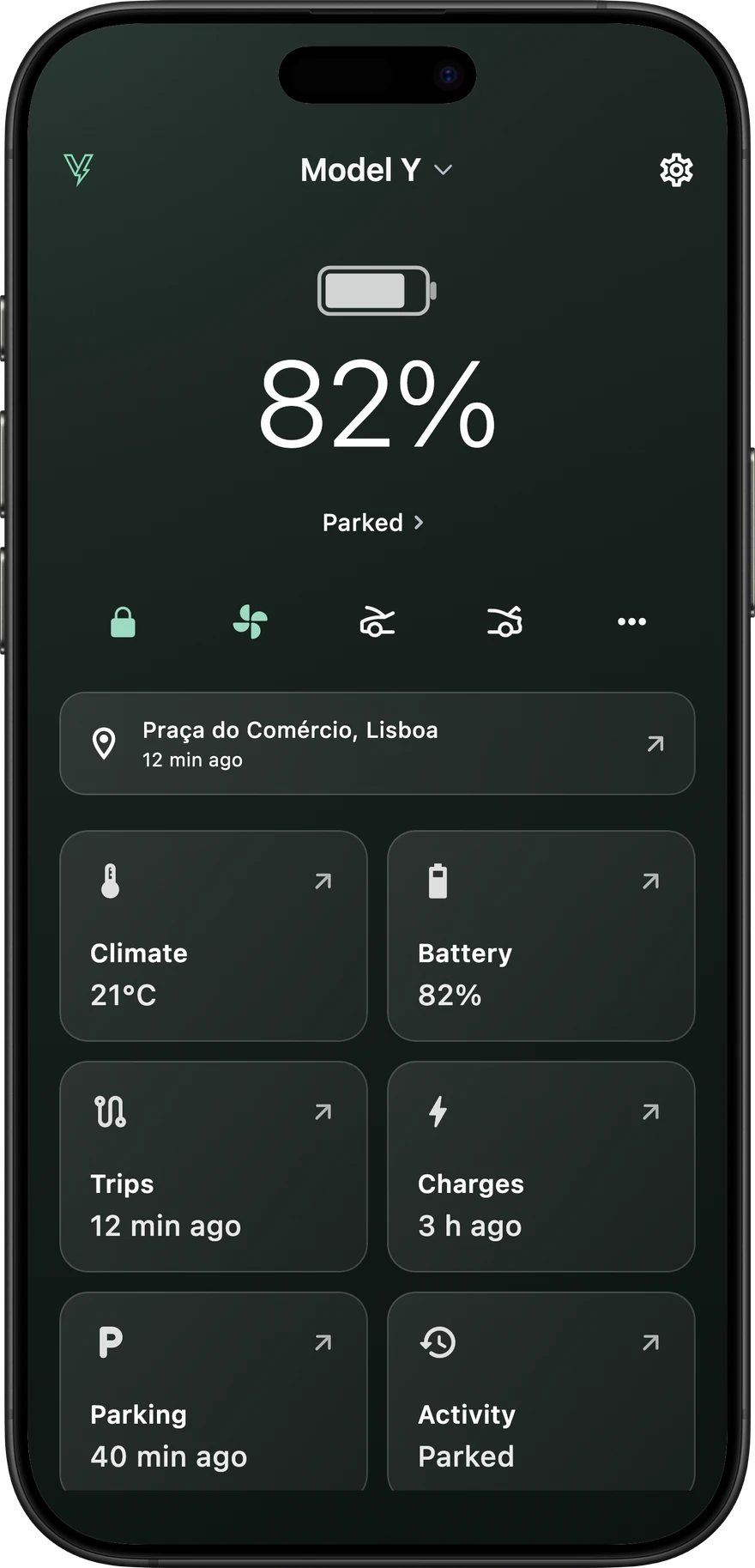
Your Tesla,at a glance.
Battery, vehicle status and recent activity. The controls you use most, in the same place.
- Vehicle overview
- Check the battery, current status and location.
- Everyday controls
- Adjust the climate. Access locks and luggage compartments.
- Recent activity
- Open your trips, charges and parking sessions.
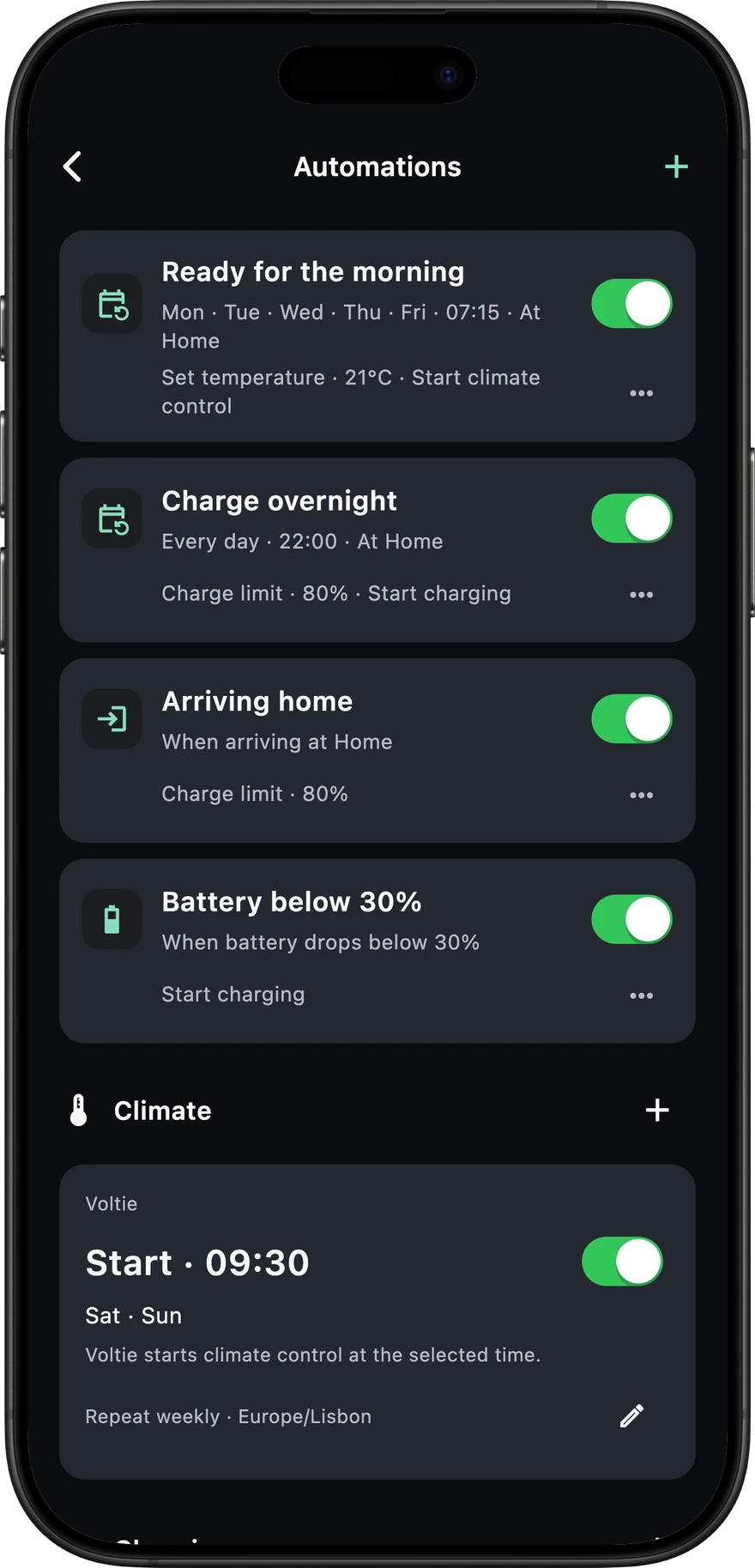
Your routines.Even with the app closed.
Choose a schedule or a vehicle event. Add conditions, put commands in order and review each run.
- Choose the moment
- Use a schedule, an arrival or departure, plugging in, a battery threshold and other vehicle events.
- Add your conditions
- Narrow it down by place, time, battery level, temperature or whether your Tesla is plugged in.
- Put actions in order
- Combine climate, charging and other vehicle commands. Manage your rules and review their run history.
Charge at home at 22:00.
- When
- 22:00Monday to Friday
- Only if
- At homeAnd plugged in
- Then
- Set the limit to 80%Start charging
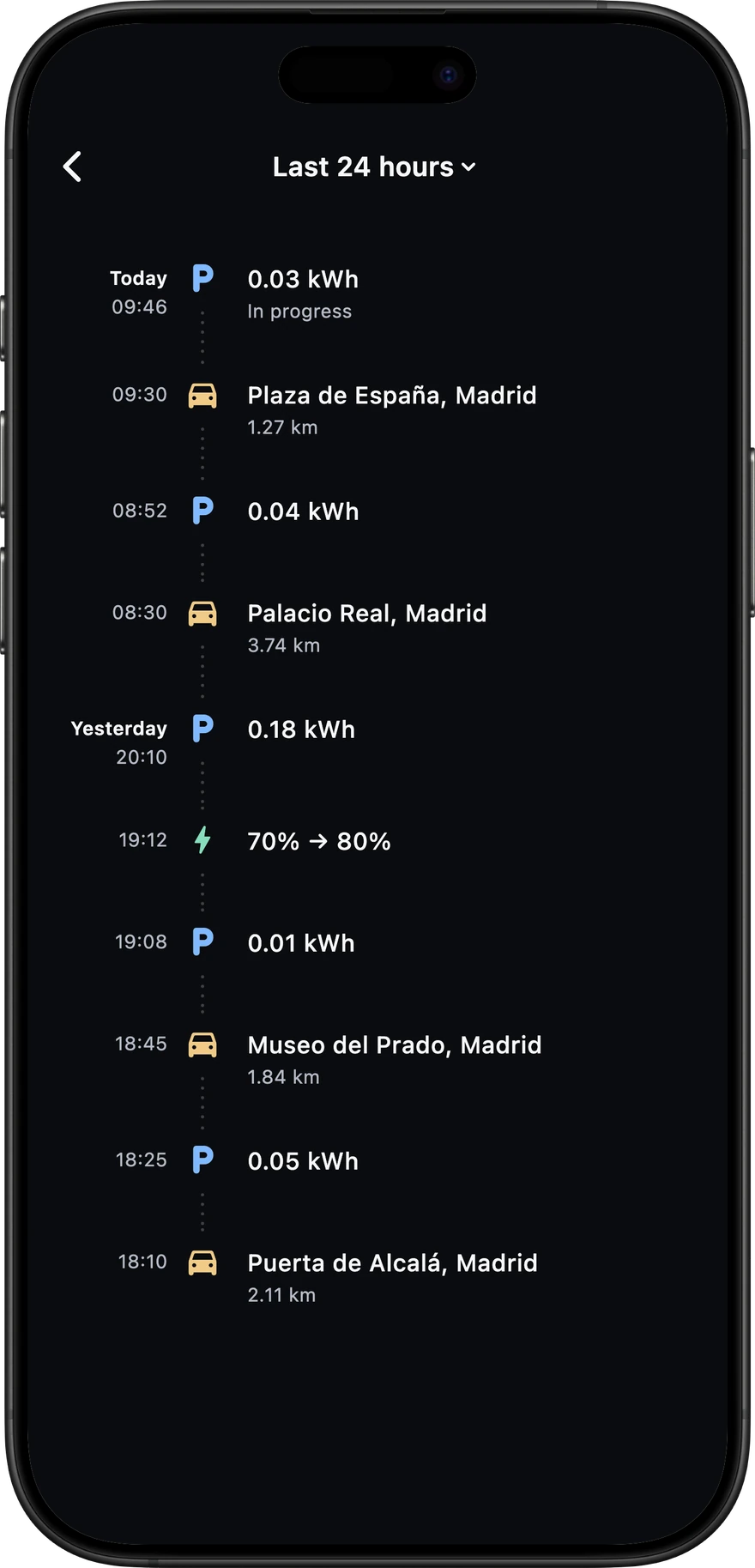
Your activity,in order.
Trips, charges and parking in one timeline. Follow the places visited and energy use throughout the day.
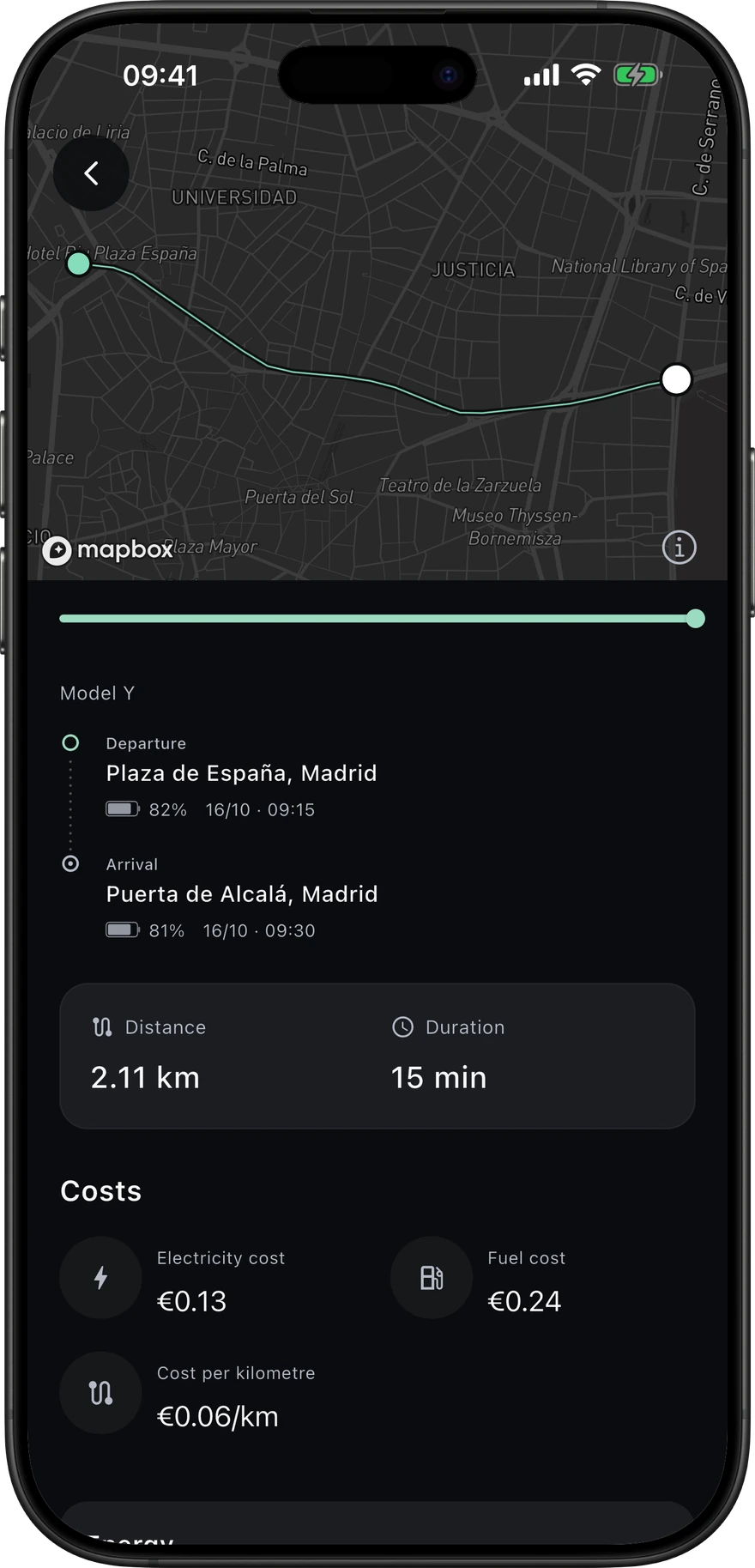
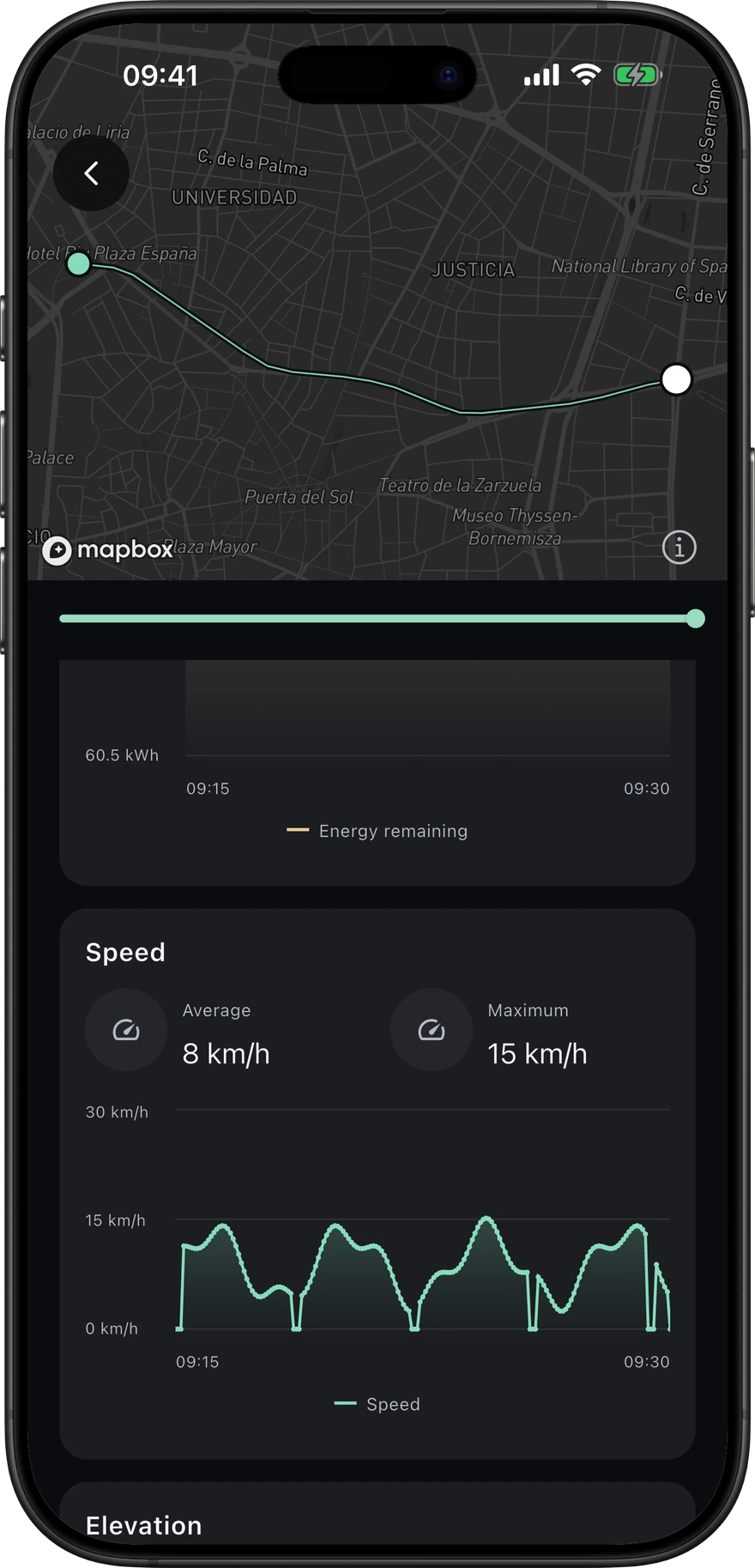
Every trip.In detail.
Review the route, departure and arrival, distance, duration and estimated cost.
Explore elevation, temperatures and efficiency alongside speed and energy. Select a moment to see the readings across the charts.
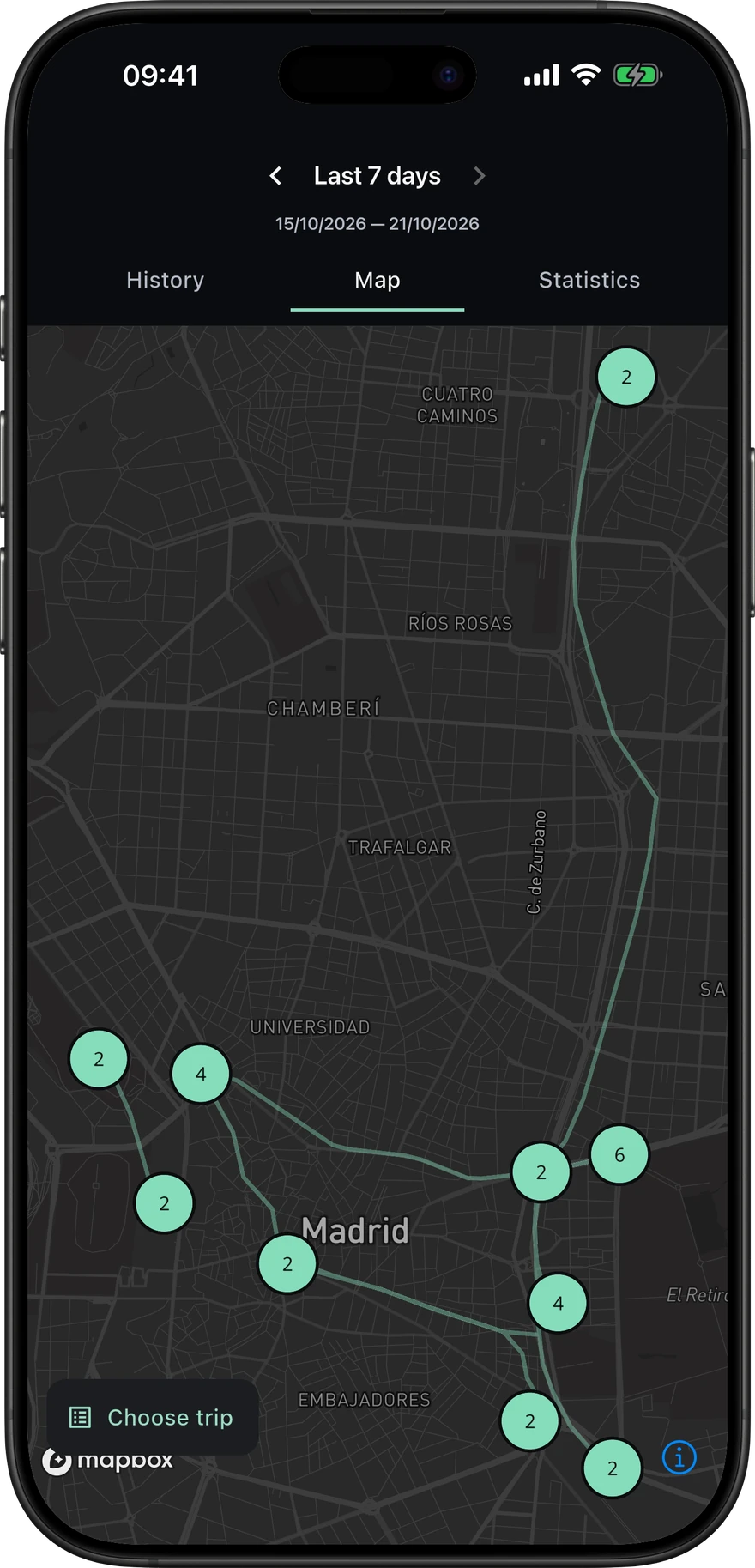
Your journeys,in perspective.
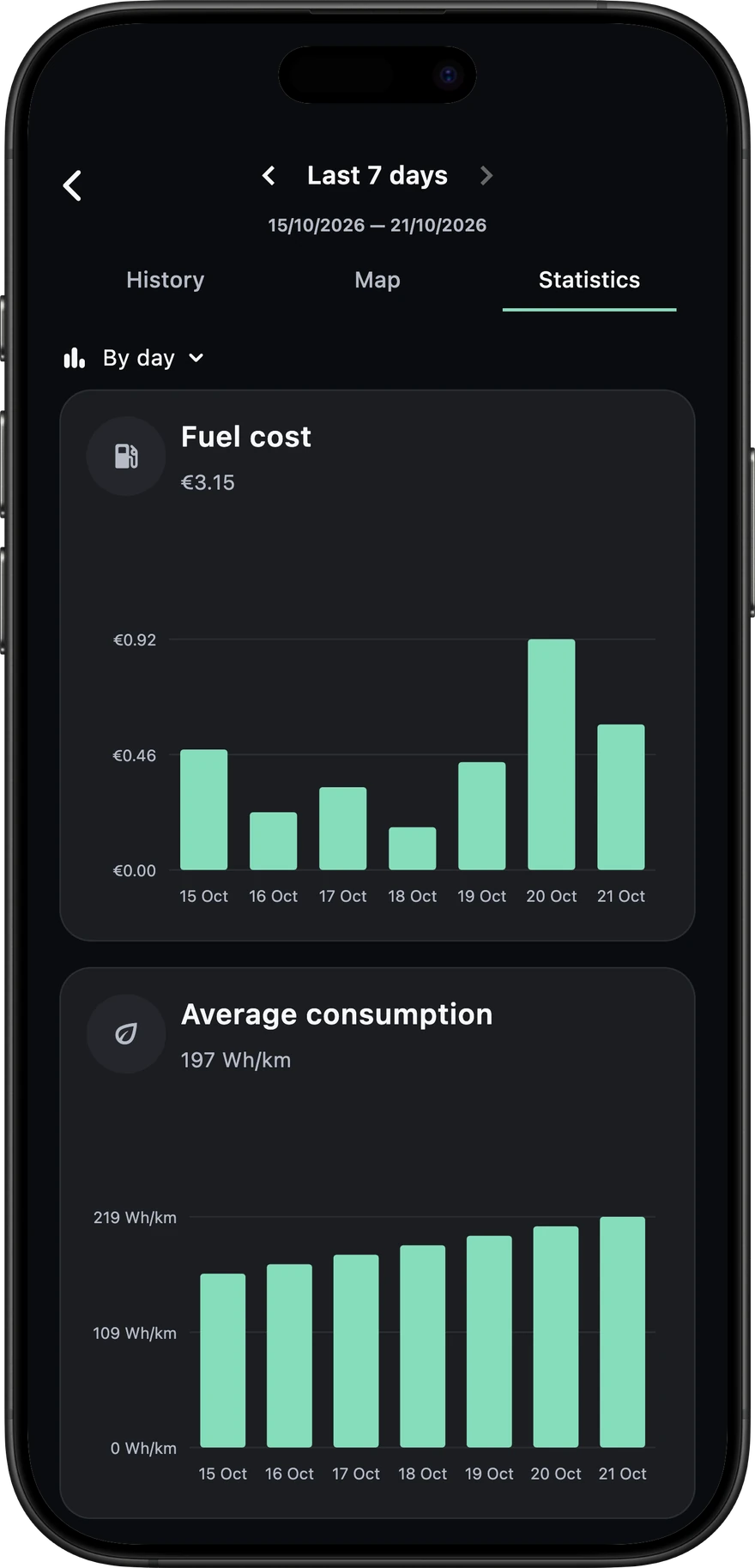
See the routes and places from the last seven days on one map. Explore distance, energy and consumption over the period you choose.
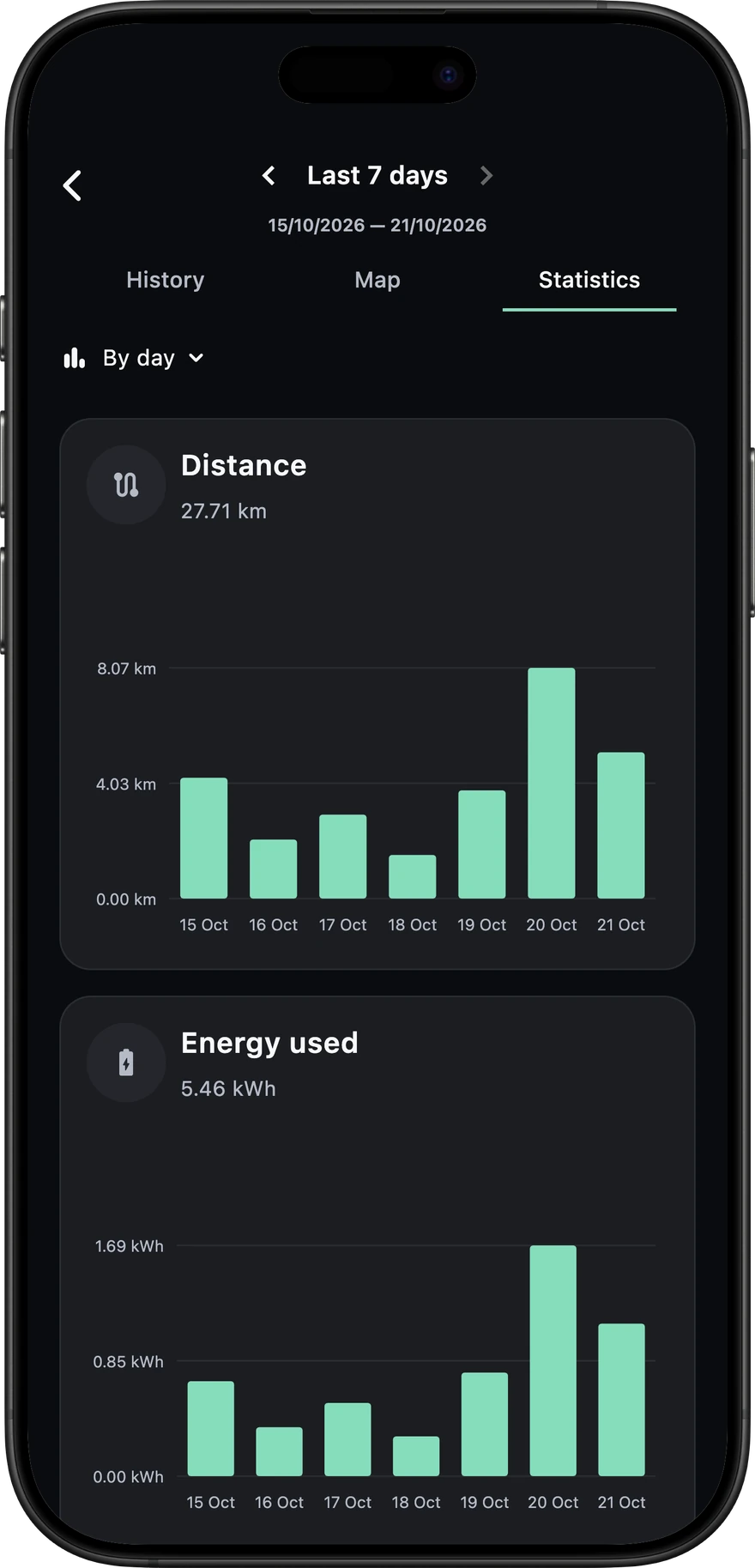
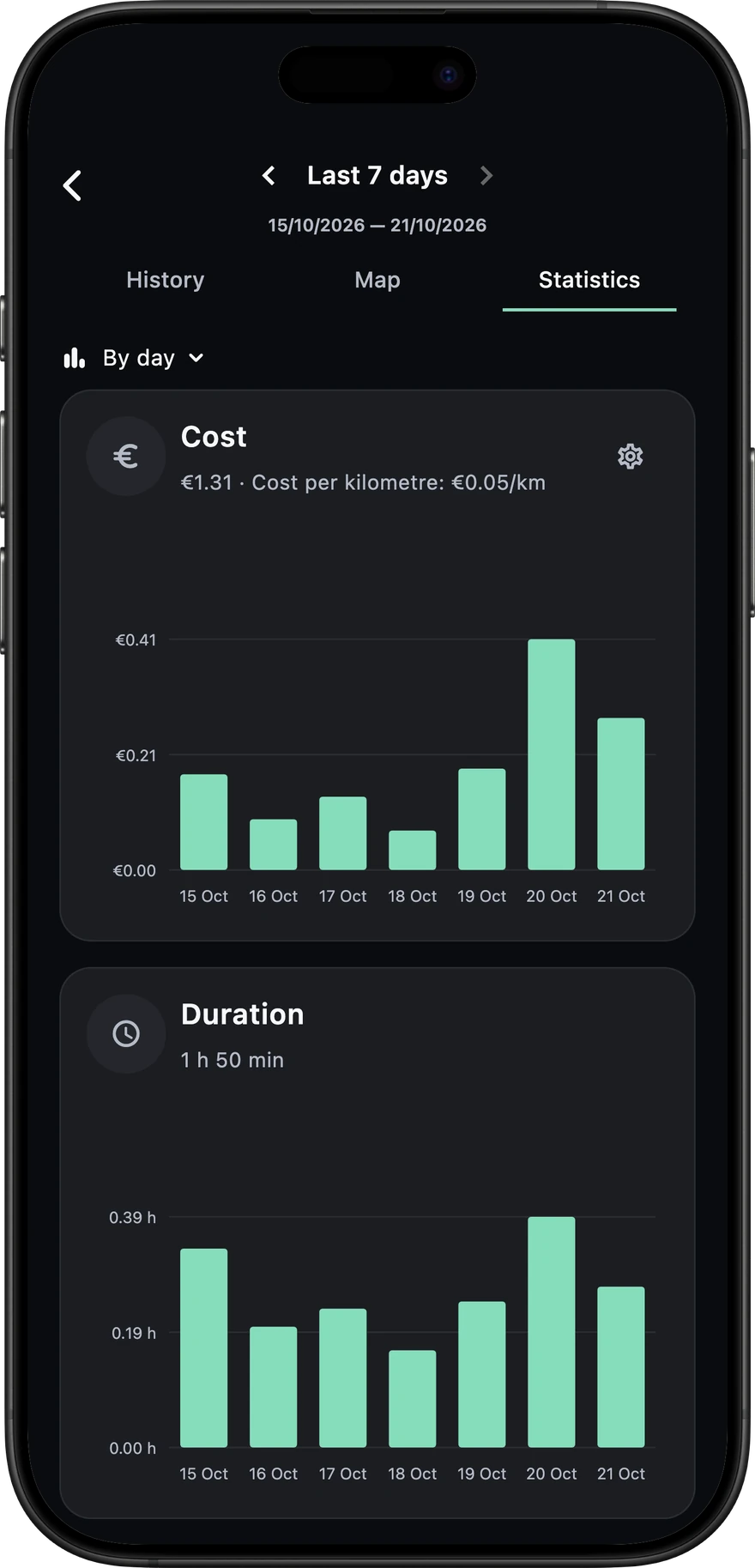
Understand the costof every kilometre.
Apply your electricity tariffs. Set a fuel car’s consumption and price per litre to compare the same distance.
- Electricity
- Estimated trip costs, cost per kilometre and charging expense, based on your configured tariffs.
- Fuel comparison
- A reference estimate using the consumption and fuel price you choose.
Your car.Your data.
Voltie connects through Tesla’s official Fleet API. You choose what it can access on Tesla’s own sign-in page, and you can revoke it at any time.
Read the privacy policyYour password stays with Tesla
You sign in on Tesla’s website. Voltie never sees or stores your Tesla password; it only receives an access token for the permissions you approve.
Tokens encrypted with Cloud KMS
Your Tesla access stays in your phone’s secure storage. When our servers need it to run your automations, it is encrypted with Google Cloud KMS.
Encrypted in transit and at rest
Vehicle data travels over TLS and is stored encrypted. It is never sold or used for advertising, and only accessed to run the service or when you ask for help.
Always in your control
Revoke Voltie from your Tesla account whenever you want. Ask us to delete your account and history, and we will.
Voltie is an independent project, currently in private beta. Questions? hello@voltie.app
How does it work?
Create your account
Sign up for Voltie with your email, Google or Apple.
Connect your Tesla
Sign in on Tesla’s page, choose the permissions to share and pick the vehicles to follow.
Add the virtual key
Optional. To control the car and run automations, add Voltie’s virtual key to your vehicle.
Questions.
What is Voltie?
Voltie brings automations, driving history and cost analysis together for your Tesla.
Is Voltie an official Tesla app?
No. Voltie is an independent app and is not affiliated with or endorsed by Tesla. It connects through Tesla’s official Fleet API, which Tesla offers to registered third-party developers, and only with the access you approve on Tesla’s sign-in page.
Does Voltie see my Tesla password?
Never. You sign in directly with Tesla, and Voltie only receives an access token for the permissions you approve. You can revoke it from your Tesla account at any time.
What can I automate?
Choose a time or an event, such as arriving at a saved place, plugging in or crossing a battery threshold. Add conditions and a sequence of climate, charging or other supported commands. Available actions depend on the vehicle and its permissions.
How much does it cost?
The private beta is free.
Who makes Voltie?
Voltie is built by an independent developer who drives a Tesla. It started as a tool for one car and is now opening to a small group of beta testers.
How can I try it?
Voltie is currently in an invitation beta. Leave your email below to request an invitation. Access is not immediate; invitations are sent by email.
Get more from your Tesla.
Request an invitation to the Voltie beta.
Coming soon to the App Store and Google Play